Wireless CarPlay Adapter: Twelve South’s AirFly Drive Explained
Twelve South has launched AirFly Drive, a small dongle that turns wired CarPlay into wireless CarPlay for $39.99. Here is what it does, which cars and phones it works with, and how to set it up.
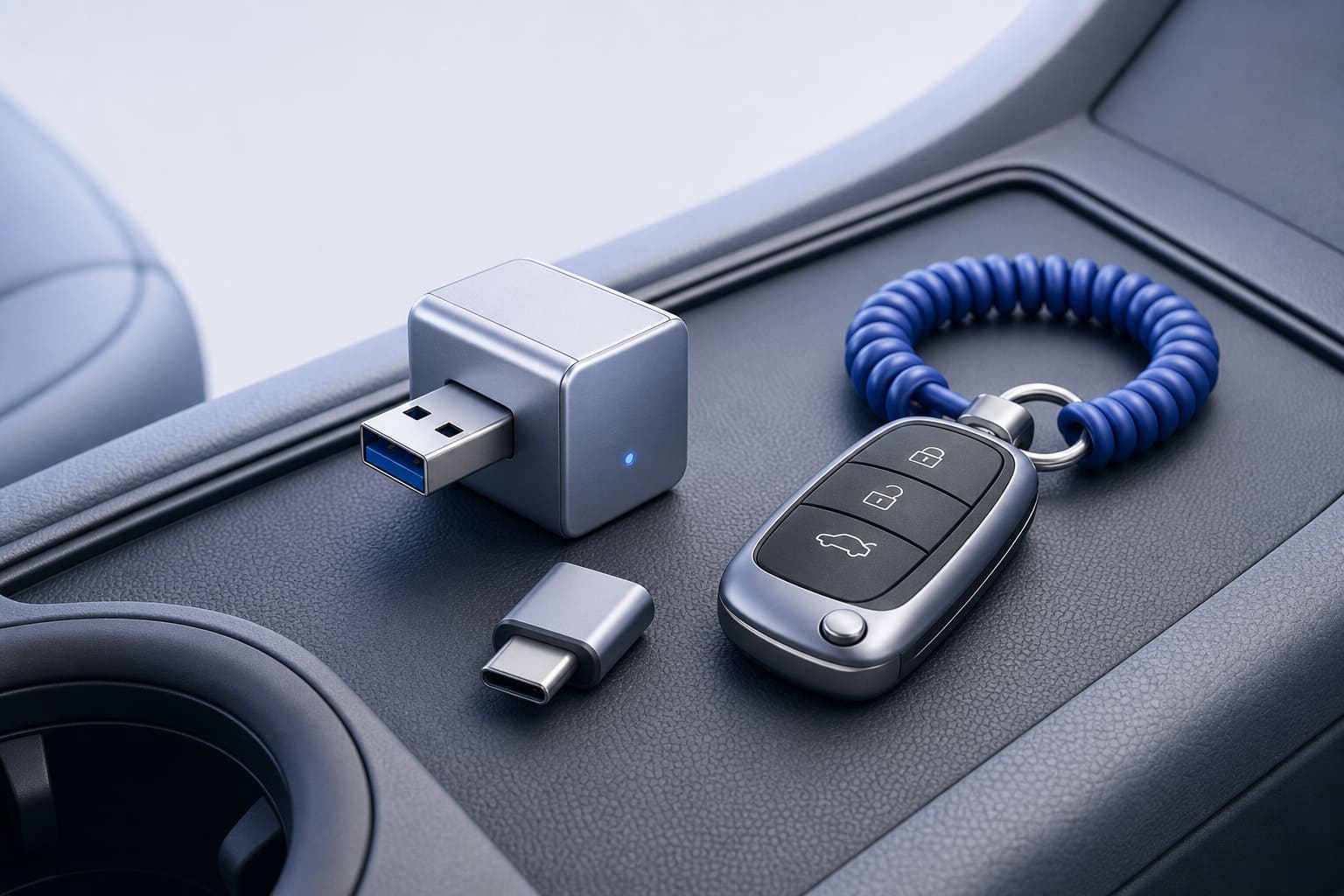
Twelve South has released the AirFly Drive, a compact dongle that converts wired CarPlay connections into wireless CarPlay connections, according to MacRumors and 9to5Mac. The accessory plugs into a vehicle USB data port, uses Wi-Fi to link the iPhone and the car, and is sold for $39.99 in the U.S., the outlets report.
How the AirFly Drive works
According to MacRumors, AirFly Drive establishes the phone-to-car link over Wi-Fi so you do not need a USB-C cable to use CarPlay. 9to5Mac adds that the device has a USB-A plug and ships with a USB-C adapter, and it is built as a small aluminum unit intended to remain plugged into the car.
Both outlets report that setup is meant to be simple: you pair your phone to the AirFly Drive once and it will automatically reconnect on subsequent drives. The device supports two paired phones and includes a single button for switching between them. 9to5Mac also notes the dongle can provide wireless Android Auto and that it will use the car’s existing display, buttons, and steering-wheel controls.
Compatibility and limits to check
9to5Mac says AirFly Drive works with most cars that have factory-wired CarPlay, and it lists coverage spanning more than 75 makes and model years back to 2014. MacRumors reports the accessory will work with any iPhone running iOS 10 or newer and any vehicle that already supports wired CarPlay from the factory.
Before you buy, confirm two things: that your vehicle has factory wired CarPlay, and that your iPhone meets the iOS requirement cited by MacRumors. 9to5Mac mentions the company plans ongoing compatibility updates, but neither outlet provides a guaranteed list of every compatible model, so it is prudent to verify with your vehicle documentation or dealer if you are unsure.
How to set it up and use this wireless CarPlay adapter
Follow these steps based on the outlets' setup notes:
- In the vehicle, open Bluetooth settings and remove the phone’s existing connection by choosing "Forget This Device," as MacRumors instructs.
- Plug the AirFly Drive into the car’s USB data port and leave it plugged in; the unit includes a USB-C adapter if your port is USB-C.
- Pair your iPhone to the AirFly Drive once; 9to5Mac and MacRumors both say no app or account is required.
- Start the car to test automatic reconnection; the device is designed to reconnect quickly each time.
- Use the single button on the unit to switch between two paired phones when needed.
These steps reflect the process described by the outlets; follow any additional prompts from your car’s infotainment system during pairing.
What you get in the box and availability
Both MacRumors and 9to5Mac report the AirFly Drive is available to order now in black or white, and it comes with the USB-C adapter. The reviews describe the unit as compact and made of aluminum, designed to remain plugged into the car. The price is $39.99 in the U.S., per the outlets.
9to5Mac also highlights that AirFly Drive requires no charging and no separate app to function, and that it supports Android Auto as well as Apple CarPlay.
Should small businesses and public teams care?
If your organization issues iPhones and regularly uses CarPlay in fleet cars or staff vehicles, AirFly Drive could reduce the friction of plugging phones in for short trips. The one-time pairing and automatic reconnection could save time and reduce cable wear. However, make sure to check vehicle compatibility first, and confirm whether your fleet policy allows third-party USB dongles to remain connected to vehicle data ports.
If you want help building or testing iPhone apps that integrate with CarPlay workflows, we build iPhone apps too. See the ones live on the App Store.
Quick comparison points
- Connection method: Wi-Fi bridge between phone and vehicle, according to MacRumors.
- Hardware: USB-A plug with a USB-C adapter included, compact aluminum housing designed to stay plugged in (9to5Mac).
- Phone support: Any iPhone running iOS 10 or newer, per MacRumors.
- Vehicle support: Vehicles with factory-wired CarPlay; 9to5Mac notes coverage across many makes and model years.
- Extras: One-button switching between two phones, no app or charging needed, and Android Auto support, per 9to5Mac.
If you are considering one, validate your car’s wired CarPlay support and your phone’s iOS version first. The setup steps above come from the published reports and are the practical sequence the makers describe for first-time pairing and regular use.
Sources
- New 'AirFly Drive' Accessory Turns Wired CarPlay Into Wireless CarPlay MacRumors
- Twelve South launches tiny new 'Airfly Drive' wireless CarPlay adapter 9to5Mac
This post was drafted with AI from the reporting linked above and published by Jones Web Designs. For full details, read the original sources.